Making an RPG Visual Novel
Overview
The first thing we need to go over is how a visual novel works.
A traditional visual novel is a story-driven game where players read dialogue and narration while viewing character
sprites and backgrounds, often accompanied by music and sound effects. Players typically progress through the story by
clicking to advance text and occasionally making choices that influence the dialogue, relationships, or direction of the
story.
Now that we've covered what a traditional visual novel is, what makes Hollows Academy different? The biggest
difference is that Hollows Academy combines visual novel storytelling with classic RPG gameplay. Players won't just
read through dialogue and make story choices; they'll also battle monsters, manage an inventory, equip weapons, recruit
party members, and collect and use items. My goal is to create a story-driven experience that brings together the best
parts of both genres!
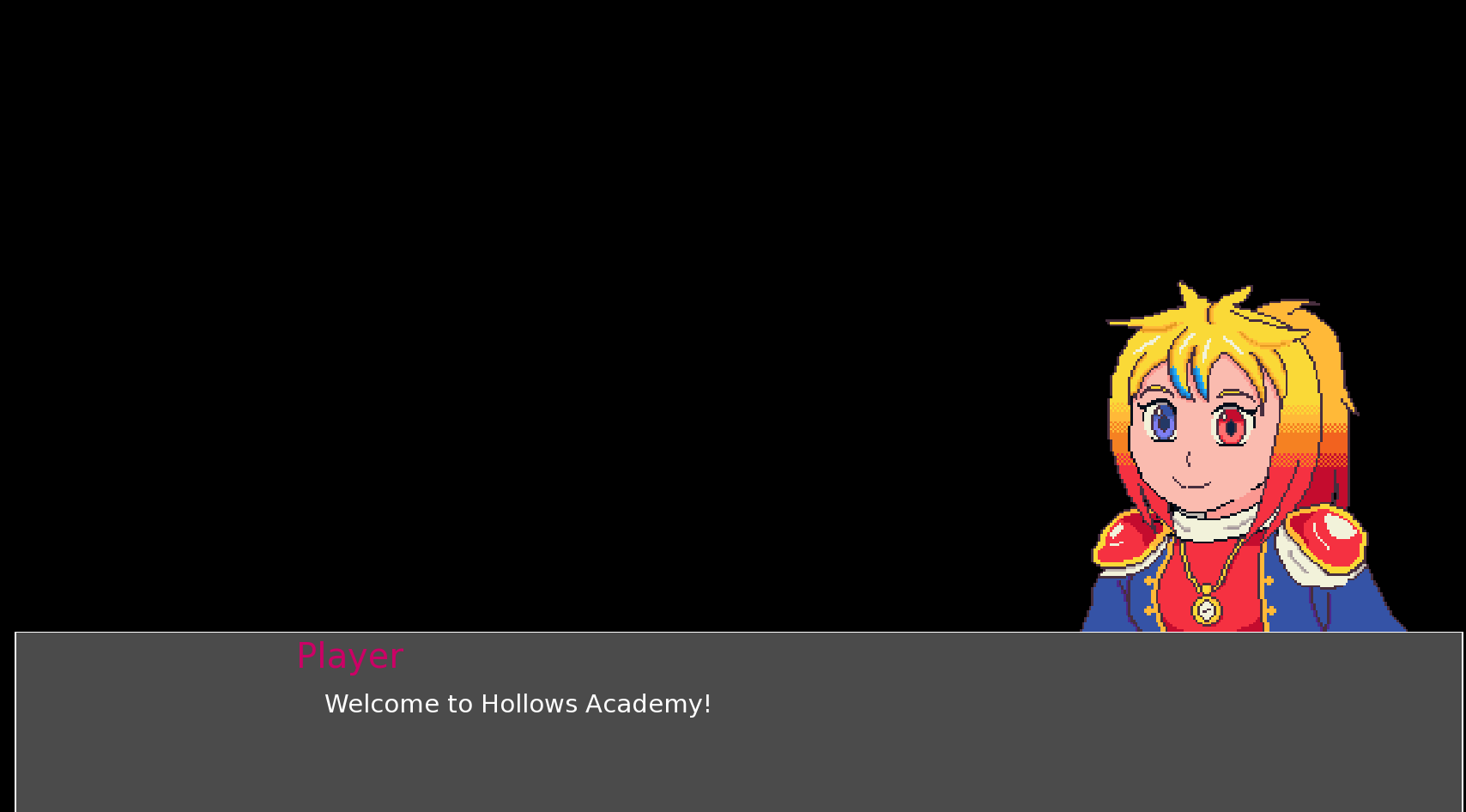
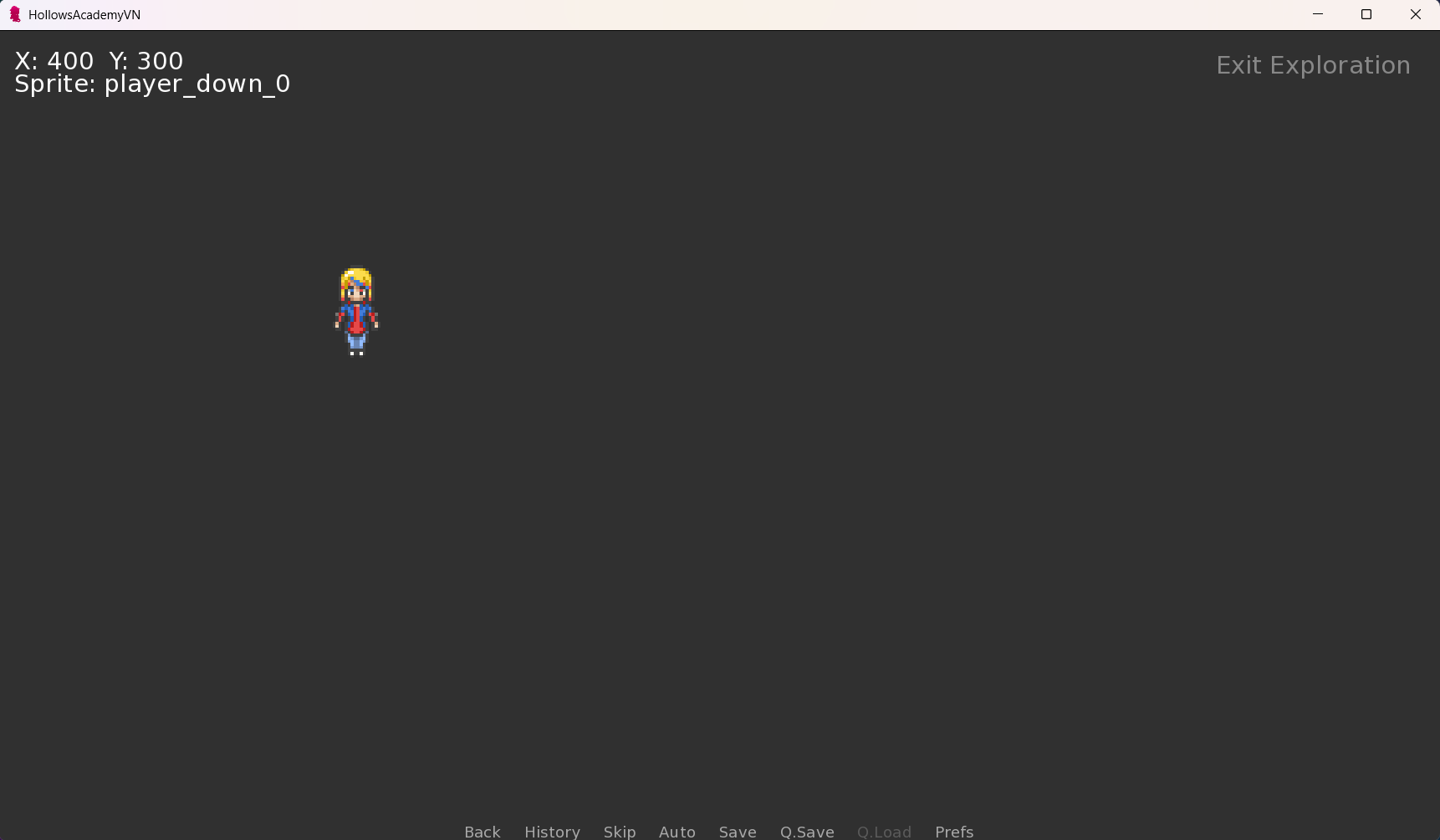
Part 0 - Basic Player Movement
The next thing to discuss is how I will implement the basics. For this devlog, we'll focus on how I implemented the main character movement and how I spliced a spritesheet to correctly show the animation of the player's movement.One of the great things about Ren'Py is that it allows us to expand beyond traditional visual novel features by writing our own custom components using Python. For Hollows Academy, I created a custom `Player` class that keeps track of everything related to the player's character on the overworld. This class handles several important tasks, including the player's position on the screen, movement speed, and the direction they're facing. It also keeps track of which movement keys are being pressed, allowing the player to move around the overworld using the keyboard. Another important part of the system is the animation timer, which controls how frequently the player's walking sprite changes frames while moving. To accomplish this, I use a `tick()` function that regularly updates the player's movement and animation. Python's built-in `math` and `time` modules help handle movement calculations and keep the animation running smoothly. Finally, the class includes functions for selecting the correct character sprite based on the player's direction and movement, as well as resetting their position when needed. By keeping all of this functionality inside one class, I can manage the player's overworld movement and animations in one convenient place!
                    # Hollows Academy Player controller

                    import math
                    import renpy
                    import time


                    class Player:

                    def __init__(self):

                    # Starting position
                    self.x = 400.0
                    self.y = 300.0

                    # Movement settings
                    self.speed = 180.0

                    # Screen boundaries
                    self.screen_width = 800
                    self.screen_height = 600

                    # Sprite dimensions (after zoom)
                    self.sprite_width = 108
                    self.sprite_height = 108

                    # Current facing direction
                    self.direction = "down"

                    # Currently held movement keys
                    self.held_directions = set()

                    # Animation settings
                    self.frame = 0
                    self.animation_timer = 0.0
                    self.animation_speed = 0.15
                    self.last_tick = None

                    def tick(self):
                    now = time.time()
                    if self.last_tick is None:
                    delta = 0.0
                    else:
                    delta = min(now - self.last_tick, 0.05) # clamp big gaps
                    self.last_tick = now
                    self.update(delta)

                    def debug_info(self):
                    renpy.log("===== PLAYER DEBUG =====")
                    renpy.log("Position: X={}, Y={}".format(self.x, self.y))
                    renpy.log("Direction: {}".format(self.direction))
                    renpy.log("Frame: {}".format(self.frame))
                    renpy.log("Moving: {}".format(self.is_moving))
                    renpy.log("Sprite name: {}".format(self.sprite_name))
                    renpy.log("========================")


                    #Reset Player Position
                    def reset_position(self):

                    self.x = 400.0
                    self.y = 300.0

                    self.direction = "down"

                    self.held_directions.clear()

                    self.frame = 0
                    self.animation_timer = 0.0

                    # MOVEMENT INPUT

                    def set_movement(self, direction, pressed):

                    if pressed:

                    self.held_directions.add(direction)

                    self.direction = direction

                    else:

                    self.held_directions.discard(direction)

                    @property
                    def is_moving(self):

                    return len(self.held_directions) > 0

                    # PLAYER UPDATE
                    def update(self, delta):

                    if not self.is_moving:

                    self.frame = 0
                    self.animation_timer = 0.0

                    return

                    # Determine movement direction.
                    dx = 0
                    dy = 0

                    if "left" in self.held_directions:
                    dx -= 1

                    if "right" in self.held_directions:
                    dx += 1

                    if "up" in self.held_directions:
                    dy -= 1

                    if "down" in self.held_directions:
                    dy += 1

                    # Normalize diagonal movement.
                    magnitude = math.sqrt(dx * dx + dy * dy)

                    if magnitude > 0:

                    dx /= magnitude
                    dy /= magnitude

                    self.x += dx * self.speed * delta
                    self.y += dy * self.speed * delta

                    # Keep player within screen boundaries.
                    self.x = max(
                    0,
                    min(self.x, self.screen_width - self.sprite_width)
                    )

                    self.y = max(
                    0,
                    min(self.y, self.screen_height - self.sprite_height)
                    )

                    # Update walking animation.
                    self.animation_timer += delta

                    if self.animation_timer >= self.animation_speed:

                    self.animation_timer -= self.animation_speed

                    self.frame = (self.frame + 1) % 4

                    # SPRITE SELECTION

                    @property
                    def sprite_name(self):

                    return "player_{}_{}".format(
                    self.direction,
                    self.frame if self.is_moving else 0
                    )

                    # Retrieve the actual Ren'Py image.
                    def get_sprite(self):

                    return renpy.displayable(self.sprite_name)
Part 1 - Basic Player Dialogue Example in Ren'py
One of the other biggest advantages of Ren'Py is its built-in dialogue system. Rather than having to create our own system for displaying conversations, Ren'Py allows us to define characters and have them speak using simple dialogue commands. For example, in Hollows Academy>, we define Jeanne as the player's character using `define jeanne = Character("Player", image="player")`. This tells Ren'Py who is speaking and which character portrait to display alongside their dialogue. From there, we can write conversations simply by using the character's name followed by the dialogue we want them to say. Ren'Py also makes it easy to organize our story into different sections called labels. These labels allow us to move between scenes, dialogue, and gameplay sections. For example, after Jeanne's opening dialogue, we use `jump overworld` to move into the overworld section of the game, where the player can begin exploring. By combining Ren'Py's dialogue system with our own Python scripts, we can create a game that seamlessly switches between traditional visual novel conversations and interactive RPG gameplay!
                define jeanne = Character("Player", image="player")

                image side player:
                "images/characters/player_portrait.png"
                zoom 3.0
                nearest True

                init python:
                import python.player as player_module

                player = player_module.Player()
                def player_sprite_display(st, at):
                player.update(0.016)

                sprite = renpy.easy.displayable(player.sprite_name)

                return Transform(
                sprite,
                xpos=player.x,
                ypos=player.y,
                zoom=4
                ), 0.016


                label start:

                # Opening scene
                scene black

                # Introduction
                jeanne "Welcome to Hollows Academy!"

                # Transition into exploration
                jump overworld


                label overworld:

                $ renpy.log("PLAYER TYPE: {}".format(type(player)))
                $ renpy.log("PLAYER VALUE: {}".format(repr(player)))
                $ renpy.log("RESET METHOD: {}".format(repr(player.reset_position)))

                $ player.reset_position()

                call screen overworld_screen

                return
Part 2 - Conclusion
Ultimately, Hollows Academy aims to take the traditional visual novel experience and expand upon it by incorporating the gameplay and mechanics of a classic RPG. By combining Ren'Py's built-in storytelling tools with custom Python scripts, I can create features such as overworld exploration, character movement, sprite animations, inventory management, and battles, all while keeping the story and its characters at the heart of the experience. My goal is to create something that offers players more than just a story to read, but a world they can actively explore and interact with!